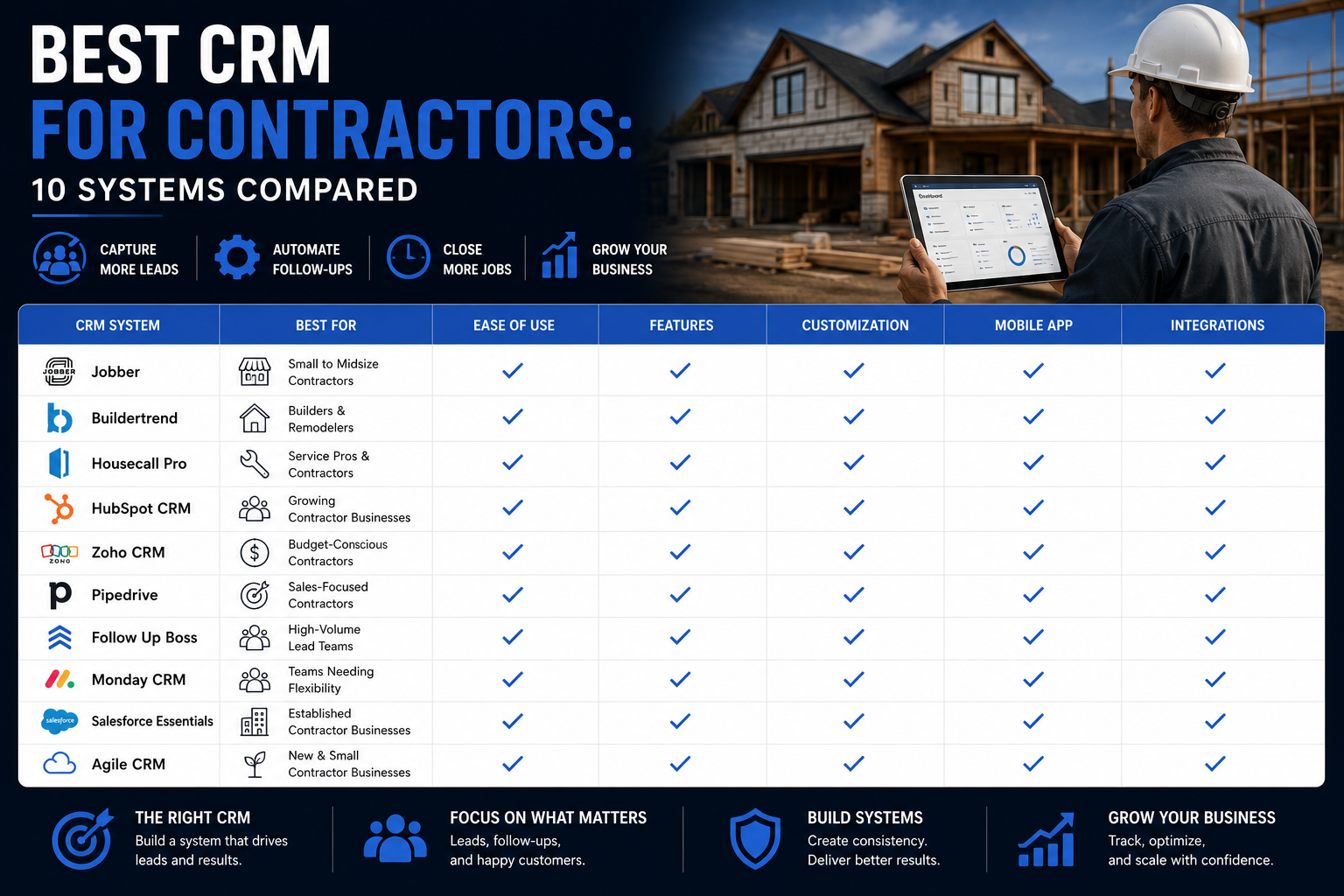
Best CRM for Contractors: 10 Systems Compared for 2026
Definition: A contractor CRM is software that helps construction and home service companies capture leads, organize customer information, manage sales opportunities, schedule follow-up, create estimates, monitor jobs, and measure which marketing sources produce revenue.
Direct Answer: HubSpot is the best CRM for contractors that need stronger lead generation, marketing automation, pipeline management, email nurturing, and sales reporting. However, Jobber and Housecall Pro work better for smaller field service companies that prioritize scheduling, estimates, invoicing, and dispatching. Meanwhile, ServiceTitan fits larger trade businesses that need an advanced operational platform.
A roofing company with 40 employees does not need the same CRM as a one-person handyman business. Likewise, a remodeling company that manages six-month projects does not need the same workflow as an HVAC company that dispatches technicians to emergency calls.
Nevertheless, contractors often receive the same generic recommendation: buy the software with the longest feature list.
That advice creates expensive mistakes.
Instead, contractors should choose a CRM based on how leads enter the business, how quickly the sales team must respond, how estimates move toward signed contracts, how crews receive job information, and how leadership measures marketing return.
Furthermore, contractors must decide whether they need a true customer acquisition system, a field service management platform, or a construction project management system. Although software companies sometimes use these labels interchangeably, the platforms solve different problems.
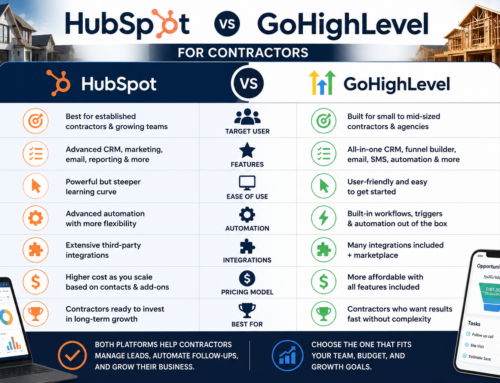
For example, HubSpot focuses heavily on contact management, lead capture, pipeline visibility, marketing automation, sales follow-up, and revenue reporting. Jobber, by contrast, connects quoting, scheduling, invoicing, and payments for home service businesses. Meanwhile, ServiceTitan provides a broader operational platform for established trade companies.
Therefore, the best contractor CRM is not automatically the most expensive option. Instead, the best choice is the platform that supports your current sales process while giving the company room to grow.
Our Contractor CRM Recommendations at a Glance
- Best overall contractor CRM for lead generation: HubSpot
- Best for small home service businesses: Jobber
- Best for large HVAC, plumbing, and electrical companies: ServiceTitan
- Best for straightforward field service management: Housecall Pro
- Best for residential construction and remodeling projects: Buildertrend
- Best for roofing companies: AccuLynx
- Best value for general contractors: Contractor Foreman
- Best customizable budget CRM: Zoho CRM
- Best sales-only visual pipeline: Pipedrive
- Best for complex enterprise contractors: Salesforce
Although every platform on this list can manage some form of customer relationship, each one has a different center of gravity. Consequently, a contractor should first decide whether the company needs help generating demand, selling work, operating jobs, or coordinating long projects.
HubSpot wins our overall recommendation because most contractors do not merely need another calendar or invoice tool. Instead, they need a system that captures every lead, tracks the original marketing source, automates follow-up, prevents missed opportunities, and shows which campaigns create signed work.
However, HubSpot does not replace every construction or dispatching platform. Therefore, some companies may use HubSpot as the lead-generation and sales CRM while connecting it to estimating, production, scheduling, or accounting software.
What Is a Contractor CRM?
A contractor CRM stores and organizes the relationships between a contracting company and its prospects, customers, referral partners, vendors, and past clients. However, modern CRM platforms do much more than store names and phone numbers.
Instead, a well-built contractor CRM should help the company manage the complete path from the first inquiry to the signed contract and, eventually, the repeat sale or referral.
A Contractor CRM Should Help You Track:
- New website leads
- Phone calls
- Facebook and Instagram leads
- Google Ads leads
- Organic search leads
- Referrals
- Estimate appointments
- Sales opportunities
- Proposal status
- Follow-up tasks
- Closed contracts
- Lost opportunities
- Past customers
- Warranty or maintenance opportunities
For example, suppose a homeowner submits a roof replacement form after clicking a Google Ad. First, the CRM should create or update the contact. Next, it should record the lead source and assign the opportunity to the correct salesperson. Then, it should create a follow-up task, track the estimate appointment, and move the opportunity through the pipeline.
After the homeowner signs the contract, the system should preserve the original marketing source. Consequently, the contractor can eventually determine whether Google Ads, Facebook, referrals, SEO, or another channel generated the most profitable work.
Without a CRM, that information often disappears into text messages, inboxes, spreadsheets, call logs, or individual employees’ memories. As a result, contractors cannot consistently answer basic questions such as:
- How many leads came in this month?
- How quickly did the team contact them?
- How many estimates did we schedule?
- Which salesperson has the highest close rate?
- Which marketing channel generated the most revenue?
- How many proposals received no follow-up?
- Why are qualified opportunities being lost?
Therefore, a contractor CRM should create visibility and accountability. More importantly, it should help the company respond faster and close more of the leads it already pays to generate.
CRM vs. Field Service and Project Management Software
Before choosing software, contractors should understand the difference between CRM, field service management, and construction project management.
Although some platforms combine these functions, most products remain stronger in one area than the others.
Customer Relationship Management Software
A CRM focuses primarily on prospects, customers, marketing, sales pipelines, communication, and revenue opportunities. Therefore, it usually works best before the job begins and throughout the long-term customer relationship.
Common CRM functions include:
- Lead capture
- Contact records
- Sales pipelines
- Email tracking
- Automated follow-up
- Meeting scheduling
- Lead scoring
- Marketing attribution
- Sales forecasting
- Customer segmentation
Field Service Management Software
Field service software focuses more heavily on dispatching workers, scheduling appointments, creating estimates, invoicing, collecting payments, and managing short-duration service jobs.
Consequently, it often fits HVAC, plumbing, electrical, cleaning, landscaping, pest control, and other service businesses.
Common field service functions include:
- Dispatching
- Route management
- Technician scheduling
- Estimates
- Invoices
- Payment processing
- Customer notifications
- Job forms
- Service agreements
Construction Project Management Software
Construction project management software focuses on longer, multi-stage jobs. Therefore, it often fits general contractors, home builders, remodelers, and companies coordinating subcontractors across complex projects.
Common project management functions include:
- Project schedules
- Budgets
- Change orders
- Selections
- Subcontractor coordination
- Document storage
- Client portals
- Daily logs
- Job costing
Why This Difference Matters
A roofing company may need excellent sales pipeline management because the company spends heavily on leads and estimates. Meanwhile, an HVAC company may need fast dispatching and membership management. By contrast, a custom home builder may care more about project schedules, selections, and subcontractor communication.
Therefore, no universal feature list can identify the right platform without understanding the business model.
In many cases, the strongest technology stack uses more than one connected system. For example, a contractor may use HubSpot for marketing, lead nurturing, sales pipelines, and attribution. Meanwhile, the company may use Buildertrend, Jobber, or another vertical platform for production and project operations.
Although this setup requires integration planning, it can prevent a company from forcing one platform to perform jobs it was never designed to handle.
What Contractors Should Look for in a CRM
Contractors should avoid choosing CRM software based only on a product demonstration. After all, almost every platform looks organized when a trained salesperson controls the screen.
Instead, the contractor should evaluate how the system handles real leads, real employees, real follow-up failures, and real reporting needs.
1. Lead Capture
First, the CRM should capture leads from every important source. That includes website forms, phone calls, live chat, Facebook lead forms, Google Ads landing pages, referrals, and manually entered opportunities.
Furthermore, the system should preserve the original source. Otherwise, the contractor cannot accurately measure marketing return.
2. Sales Pipeline Management
Next, the CRM should show where every opportunity stands. A practical contractor pipeline may include:
- New Lead
- Attempting Contact
- Appointment Scheduled
- Estimate Completed
- Proposal Sent
- Follow-Up
- Contract Signed
- Closed Lost
However, the pipeline should match the company’s actual sales process. Therefore, a one-call service business should not copy the pipeline of a six-month remodeling sales cycle.
3. Speed-to-Lead Automation
Contractor leads often contact several companies. Consequently, the first credible company to respond gains a major advantage.
The CRM should help the company create immediate notifications, automatic emails, assignment rules, text workflows, and sales tasks. Additionally, management should be able to report on response time.
4. Estimate and Proposal Tracking
A contractor does not merely need to know that an estimate exists. Instead, the company must know whether the estimate was scheduled, completed, delivered, opened, followed up, approved, or rejected.
Therefore, proposal status should remain visible inside the sales pipeline, even when another software platform creates the actual estimate.
5. Email and Text Communication
Customers move between phone, email, and text. As a result, the CRM should preserve enough communication history to prevent fragmented follow-up.
However, contractors should verify whether texting comes natively, requires an integration, or adds a separate fee. Likewise, they should confirm whether messages appear on the central contact record.
6. Marketing Automation
Many contractor CRMs handle active jobs well but provide weak long-term marketing. Nevertheless, contractors have valuable databases filled with past customers, old estimates, seasonal prospects, and unconverted leads.
Therefore, the platform should ideally support:
- Estimate follow-up
- Reactivation campaigns
- Maintenance reminders
- Seasonal promotions
- Referral requests
- Review requests
- Email newsletters
- Customer segmentation
7. Reporting and Marketing Attribution
Contractors should know which channels create profitable customers, not merely which channels create form submissions.
Consequently, the CRM should connect lead source, salesperson, proposal value, close status, and revenue whenever possible.
8. Mobile Access
Salespeople and project managers often work outside the office. Therefore, they need fast mobile access to contact history, tasks, notes, photos, deal stages, and appointment details.
However, a platform may offer a mobile app without offering a practical mobile experience. Contractors should test the actual workflow before purchasing.
9. Accounting and Operational Integrations
The CRM should fit the company’s existing technology stack. For example, contractors may need integrations with QuickBooks, Google Calendar, Outlook, Zapier, estimating tools, call tracking software, or project management platforms.
Nevertheless, an integration listing does not guarantee a complete two-way data connection. Therefore, contractors should ask exactly which records, fields, and actions synchronize.
10. Scalability
Finally, the contractor should consider what happens when the company adds salespeople, locations, service lines, and marketing channels.
A low-cost system may work today. However, switching CRMs after the database, automations, and reporting become deeply embedded can be expensive.
Therefore, the correct choice should solve the company’s current needs while also supporting the next stage of growth.
Best CRM Software for Contractors: Quick Comparison
The table below summarizes the strongest use case for each platform. However, feature availability can vary by plan, add-on, configuration, or integration. Therefore, contractors should verify current requirements directly before purchasing.
| CRM | Best For | Lead Generation | Sales Pipeline | Scheduling and Dispatch | Estimates and Invoices | Marketing Automation | Reporting Depth | Ease of Use |
|---|---|---|---|---|---|---|---|---|
| HubSpot | Contractors focused on marketing, sales, and growth | Excellent | Excellent | Integration dependent | Quotes available; field estimates may require integration | Excellent | Excellent | High |
| Jobber | Small home service companies | Moderate | Moderate | Excellent | Excellent | Moderate | Moderate | Excellent |
| ServiceTitan | Large and established trade contractors | Strong | Strong | Excellent | Excellent | Strong | Excellent | Moderate |
| Housecall Pro | Small and midsize field service teams | Moderate | Moderate | Excellent | Excellent | Moderate | Moderate | Excellent |
| Buildertrend | Home builders and remodelers | Moderate | Strong | Project-focused | Strong | Moderate | Strong | Moderate |
| AccuLynx | Roofing companies | Strong | Strong | Strong | Strong | Moderate | Strong | Moderate |
| Contractor Foreman | General contractors seeking broad value | Moderate | Moderate | Strong | Strong | Limited | Strong | Moderate |
| Zoho CRM | Budget-conscious companies needing customization | Strong | Strong | Integration dependent | Integration dependent | Strong | Strong | Moderate |
| Pipedrive | Sales teams wanting a visual pipeline | Moderate | Excellent | Integration dependent | Integration dependent | Moderate | Strong | Excellent |
| Salesforce | Enterprise contractors with complex workflows | Excellent | Excellent | Integration or customization dependent | Integration or customization dependent | Excellent | Excellent | Lower without implementation |
Based on this comparison, contractors should avoid reducing the decision to “Which platform has scheduling?” Instead, they should ask which stage of the customer journey creates the greatest constraint.
For instance, a company with overflowing demand but chaotic dispatching may benefit from Jobber, Housecall Pro, or ServiceTitan. However, a company spending heavily on advertising while losing leads through poor follow-up may gain more from HubSpot.
1. HubSpot: Best Overall CRM for Contractor Lead Generation and Sales Growth
HubSpot is our top overall recommendation for contractors that want to generate more leads, improve follow-up, increase sales visibility, and connect marketing activity to revenue.
Unlike trade-specific field service platforms, HubSpot centers the system around the customer relationship. Therefore, it works especially well for roofing companies, remodelers, general contractors, home improvement companies, solar installers, and other businesses with competitive sales processes.
HubSpot’s CRM includes contact management, deal pipelines, meeting scheduling, live chat, and email tracking. Additionally, the broader HubSpot customer platform connects marketing, sales, customer service, content, data, and AI capabilities.
That combination matters because many contractors have an operational system but still lack a true lead-conversion engine.
Why HubSpot Works Well for Contractors
First, HubSpot creates a central record for each prospect or customer. Therefore, the sales team can review form submissions, email activity, notes, calls, meetings, deal status, and marketing interactions from one place.
Second, HubSpot provides customizable sales pipelines. Consequently, contractors can model their actual sales process instead of forcing every lead into a generic workflow.
Third, HubSpot supports sales automation. For example, workflows can route leads, create tasks, update deal stages, and trigger follow-up based on buyer activity.
Finally, HubSpot can connect marketing and sales data. As a result, contractors can move beyond counting leads and begin analyzing which campaigns contribute to pipeline and closed revenue.
Best HubSpot Features for Contractors
- Contact and company records
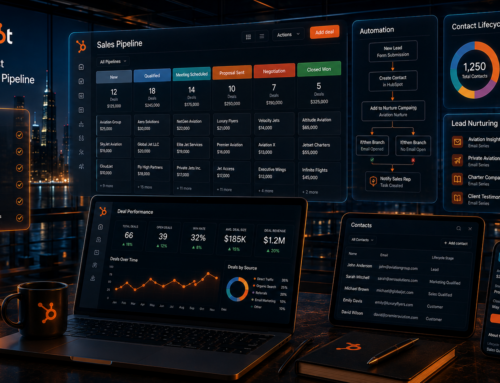
- Custom deal pipelines
- Website forms
- Landing pages
- Live chat
- Meeting scheduling
- Email tracking
- Sales sequences
- Lead routing
- Automated workflows
- Marketing email
- Lists and segmentation
- Reporting dashboards
- Lead source attribution
- AI-assisted sales and marketing tools
Example Contractor Workflow in HubSpot
Suppose a homeowner searches for a bathroom remodeling company and lands on a service page. First, the homeowner submits a consultation form. HubSpot then creates the contact, records the source, and assigns the lead.
Next, the system can send an immediate confirmation email and create a call task for the sales representative. After the rep schedules an in-home consultation, the opportunity moves to “Appointment Scheduled.”
Then, after the consultation, the rep moves the deal to “Estimate in Progress” or “Proposal Sent.” If the homeowner does not respond, HubSpot can create follow-up tasks or send a carefully designed nurturing sequence.
Finally, when the homeowner signs, the salesperson moves the deal to “Closed Won.” Consequently, leadership can connect the contract value to the original source and campaign.
Where HubSpot Is Strongest
HubSpot becomes particularly valuable for contractors with dedicated salespeople, multiple lead channels, large marketing budgets, or longer sales cycles.
For example, roofing, replacement windows, kitchens, bathrooms, solar, decks, basements, and large exterior projects often require several touches before the homeowner buys. Therefore, these companies benefit from stronger pipeline visibility and automated nurturing.
Additionally, HubSpot works well for contractors building authority through SEO and Generative Engine Optimization. Every guide, comparison page, location page, and lead magnet can connect to the same contact and attribution system.
For contractors using an extensive SEO and GEO content strategy, this alignment creates a major advantage. Instead of measuring only rankings or traffic, the company can eventually connect content engagement to opportunities and revenue.
For related growth strategy, review SEO Services for Businesses and Generative Engine Optimization.
HubSpot Limitations for Contractors
HubSpot is not a complete field service management system. Therefore, contractors that need route optimization, technician dispatching, price books, equipment histories, or complex job costing may require another platform.
Likewise, advanced automation and reporting can require higher HubSpot tiers. Consequently, contractors should map the required workflows before selecting a plan.
However, those limitations do not weaken HubSpot’s primary advantage. It remains one of the strongest choices for contractors that need to improve customer acquisition and sales conversion.
Who Should Choose HubSpot?
- Roofing companies with multiple salespeople
- Remodeling companies with long sales cycles
- General contractors investing in marketing
- Window, siding, and exterior companies
- Solar installers
- High-ticket home improvement companies
- Contractors running SEO, Google Ads, and Meta Ads
- Multi-location contractors
- Businesses that need marketing attribution
Our HubSpot Verdict
HubSpot is the best contractor CRM when the primary goal is to turn more marketing activity into qualified opportunities and signed work.
Although the company may still need separate operational software, HubSpot gives the marketing and sales team a much stronger foundation. Therefore, it is our top overall recommendation for growth-focused contractors.
Start building your contractor pipeline with HubSpot.
Additionally, review How to Set Up Your First HubSpot Sales Pipeline and HubSpot vs. Pipedrive.
2. Jobber: Best CRM for Small Home Service Businesses
Jobber is one of the strongest options for small home service businesses that need to organize the complete path from quote to payment.
Unlike HubSpot, Jobber focuses heavily on service operations. Therefore, it fits companies that need estimates, scheduling, job management, invoicing, and payments inside one connected platform.
Jobber’s official product information emphasizes quoting, scheduling, invoicing, customer management, payments, and job profitability reporting. Consequently, it can replace a collection of spreadsheets, paper calendars, payment apps, and disconnected customer records.
Why Jobber Works Well for Contractors
First, Jobber provides a simple workflow for incoming requests. A company can create a quote, schedule the approved work, assign the job, invoice the customer, and collect payment.
Second, Jobber supports customer communication throughout the service cycle. Therefore, customers can receive confirmations, reminders, and updates without requiring the office to send every message manually.
Third, Jobber offers a mobile experience for field teams. As a result, employees can access job details, update work, capture information, and support payment collection outside the office.
Best Jobber Features for Contractors
- Client management
- Online request forms
- Professional quotes
- Job scheduling
- Dispatching
- Automated reminders
- Invoicing
- Payment processing
- Client portal
- Job forms
- Expense tracking
- Job profitability reporting
- Mobile access
Best Contractor Types for Jobber
- Landscapers
- Cleaning companies
- Handyman businesses
- Painting contractors
- Lawn care companies
- Small plumbing businesses
- Small HVAC businesses
- Pressure washing companies
- Residential maintenance companies
Where Jobber Is Strongest
Jobber performs best when the owner wants a straightforward system that office staff and field employees can understand quickly.
For example, a landscaping company may receive a request, send a quote, schedule recurring service, dispatch a crew, invoice the customer, and collect payment through the same platform.
Furthermore, Jobber’s operational focus reduces administrative switching. Instead of moving between separate scheduling, quoting, invoicing, and payment systems, the company can manage the customer journey in one place.
Jobber Limitations
Jobber is not as strong as HubSpot for advanced marketing automation, content attribution, complex sales pipelines, or cross-channel lead nurturing.
Therefore, a contractor with a large sales department or aggressive digital marketing strategy may eventually need more CRM depth.
Additionally, companies should review plan limits carefully. As teams add employees, advanced automation, reporting, texting, or other functionality, the total cost may rise.
Jobber vs. HubSpot for Contractors
Choose Jobber when the business mainly needs to operate service work efficiently. However, choose HubSpot when the company mainly needs to capture, nurture, and convert more leads.
In some cases, the platforms can complement each other. HubSpot can manage demand generation and sales opportunities, while Jobber can manage scheduling, service delivery, invoicing, and payments.
Our Jobber Verdict
Jobber is an excellent choice for smaller home service businesses that want a practical all-in-one operational system.
Although it does not provide the same marketing depth as HubSpot, it can dramatically improve organization for companies moving away from paper, spreadsheets, and disconnected apps.
3. ServiceTitan: Best CRM and Operating Platform for Large Trade Contractors
ServiceTitan is one of the most comprehensive platforms built specifically for the trades. Therefore, it fits established HVAC, plumbing, electrical, roofing, and commercial service companies that need more than a basic CRM.
ServiceTitan combines customer management with dispatching, proposals, service agreements, reporting, payments, and operational workflows. Additionally, the company positions its platform as an all-in-one system for residential, commercial, and construction businesses.
Why ServiceTitan Works Well for Large Contractors
First, ServiceTitan supports complex dispatching and field operations. Consequently, office staff can coordinate multiple technicians, appointments, territories, and job types.
Second, ServiceTitan helps companies standardize customer communication. For example, businesses can use automated confirmations, technician information, real-time updates, financing options, and digital payments.
Third, ServiceTitan provides deeper reporting than many small-business field service tools. Therefore, leadership can analyze operational performance across departments, employees, campaigns, and job types.
Best ServiceTitan Features for Contractors
- Customer records
- Call booking workflows
- Scheduling and dispatching
- Mobile technician tools
- Proposal builder
- Pricebook management
- Invoices and payments
- Financing options
- Service agreements
- Marketing attribution tools
- Custom reports and dashboards
- Commercial and residential workflows
- Construction project support
Best Contractor Types for ServiceTitan
- HVAC companies
- Plumbing companies
- Electrical contractors
- Large roofing companies
- Garage door companies
- Pest control businesses
- Commercial service contractors
- Multi-location trade businesses
Where ServiceTitan Is Strongest
ServiceTitan works best when a contractor has reached operational complexity. For example, a large HVAC company may need call booking, technician dispatching, service agreements, replacement opportunities, financing, inventory coordination, and department-level reporting.
A lighter platform may struggle to support that complexity. However, ServiceTitan is designed around the operating realities of trade contractors.
Additionally, ServiceTitan can help standardize the customer experience. Automated confirmations, technician profiles, arrival notifications, and digital payment options can create a more professional service process.
ServiceTitan Limitations
ServiceTitan may provide more platform than a small contractor needs. Therefore, solo operators and very small teams may find a simpler platform easier to implement.
Furthermore, advanced systems require disciplined onboarding, training, process design, and data quality. As a result, ServiceTitan should not be treated as a quick software purchase.
The company should prepare to standardize workflows before expecting the platform to improve operations.
ServiceTitan vs. HubSpot for Contractors
ServiceTitan is stronger for field operations, dispatching, technician workflows, service agreements, and trade-specific management. HubSpot, however, is stronger for broad marketing automation, flexible lead nurturing, content-driven acquisition, and CRM customization across the full customer lifecycle.
Therefore, the better choice depends on the constraint.
If the company generates enough demand but struggles to operate and dispatch work, ServiceTitan may solve the larger problem. However, if the company has operational capacity but struggles with inconsistent lead conversion and marketing attribution, HubSpot may create more immediate value.
Our ServiceTitan Verdict
ServiceTitan is the strongest option on this list for large, established trade contractors that need an advanced operating platform.
However, its depth demands operational maturity. Therefore, companies should choose it when they have enough scale, complexity, and internal discipline to use the system fully.
4. Housecall Pro: Best for Straightforward Field Service Operations
Housecall Pro is another strong option for home service companies that want scheduling, dispatching, estimates, invoices, online booking, payments, and customer communication in one platform.
Housecall Pro focuses specifically on the trades. Consequently, it works well for owners who need to organize field service operations without building a highly customized CRM.
The platform’s current feature positioning includes online booking, scheduling and dispatching, quotes and proposals, invoicing, payments, reminders, and review management.
Why Housecall Pro Works Well for Contractors
First, Housecall Pro simplifies online booking. Therefore, customers can request or schedule service through the contractor’s website or connected online channels.
Second, the platform helps office teams schedule and assign work. As a result, companies can coordinate technicians without relying on paper calendars or scattered text messages.
Third, Housecall Pro supports digital estimates, invoices, and payments. Consequently, contractors can shorten the time between completed work and collected revenue.
Best Housecall Pro Features for Contractors
- Online booking
- Scheduling
- Dispatching
- Customer records
- Quotes and proposals
- Invoices
- Payment processing
- Automated reminders
- Review management
- Mobile field tools
- Customer communication
Best Contractor Types for Housecall Pro
- HVAC businesses
- Plumbing companies
- Electrical contractors
- Cleaning companies
- Landscaping companies
- Garage door businesses
- Handyman services
- Pest control companies
Where Housecall Pro Is Strongest
Housecall Pro works best for small and midsize home service businesses that want to get organized quickly.
For example, a plumbing company can accept an online request, schedule the technician, send appointment reminders, create the invoice, accept payment, and request a review.
Because the system connects these operational stages, it reduces administrative friction.
Housecall Pro Limitations
Housecall Pro does not offer the same broad marketing ecosystem as HubSpot. Therefore, companies with sophisticated inbound marketing, long-term nurture campaigns, advanced attribution, or complex sales departments may require more CRM depth.
Likewise, very large contractors may eventually need deeper enterprise reporting, customization, or operational controls.
Housecall Pro vs. Jobber
Housecall Pro and Jobber serve similar markets. Both platforms focus on field service operations, scheduling, estimates, invoicing, payments, and customer communication.
Therefore, contractors should test both systems with their real workflows. One company may prefer Jobber’s client management and job organization, while another may prefer Housecall Pro’s booking and dispatch experience.
Housecall Pro vs. HubSpot
Choose Housecall Pro when the company needs a field service operating system. However, choose HubSpot when the company needs a more advanced marketing and sales engine.
Again, some contractors may benefit from using separate but connected tools. Housecall Pro can manage the field service workflow, while HubSpot can manage lead generation, nurturing, and sales attribution.
Our Housecall Pro Verdict
Housecall Pro is a strong contractor software choice for small and midsize service companies that want an approachable system for booking, scheduling, estimates, invoices, and payments.
Although it may not replace an advanced growth CRM, it can solve many of the operational problems that prevent home service companies from scaling efficiently.
What Part 2 Covers
Part 2 continues this same page with full reviews and recommendations for:
- Buildertrend
- AccuLynx
- Contractor Foreman
- Zoho CRM
- Pipedrive
- Salesforce
Additionally, Part 2 includes:
- The best CRM for every major contractor trade
- The best CRM by company size
- The best CRM by business goal
- A detailed HubSpot conversion and implementation section
- A step-by-step contractor CRM setup guide
- Common contractor CRM mistakes
- 12–15 detailed FAQs
- The complete JSON-LD schema stack
- The closing HTML tags
5. Buildertrend: Best CRM for Home Builders and Remodeling Companies
Buildertrend is one of the strongest options for residential home builders, design-build firms, and remodeling companies that manage long, multi-stage projects. Unlike a traditional CRM, however, Buildertrend places project management, estimating, client communication, scheduling, selections, and financial coordination near the center of the platform.
Therefore, Buildertrend works best when the sales process continues directly into a complex construction workflow. Instead of handing the customer from a sales CRM into disconnected project tools, the company can move approved work into preconstruction and production inside the same broader system.
Additionally, Buildertrend can help contractors manage customer expectations throughout longer projects. Because remodeling and custom home projects involve decisions, documents, budgets, updates, and change orders, a centralized client experience can reduce confusion.
Why Buildertrend Works Well for Contractors
First, Buildertrend supports pre-sales and preconstruction workflows. Consequently, builders can manage leads, proposals, estimates, and early project details before production begins.
Next, the platform supports scheduling, budgeting, change orders, daily logs, selections, and client communication. Therefore, it can help bridge the gap between selling the project and delivering it.
Furthermore, Buildertrend is designed around construction projects rather than one-time service calls. As a result, it usually fits remodelers and builders better than dispatch-focused platforms.
Best Buildertrend Features for Contractors
- Lead and customer management
- Proposals and estimates
- Project scheduling
- Change orders
- Selections management
- Budget tracking
- Daily logs
- Client communication
- Subcontractor coordination
- Document storage
- Job costing support
- Client portal
Best Contractor Types for Buildertrend
- Custom home builders
- Residential remodelers
- Kitchen remodeling companies
- Bathroom remodeling companies
- Design-build firms
- General contractors managing long projects
- Basement finishing companies
- Large addition contractors
Where Buildertrend Is Strongest
Buildertrend performs best when the contractor needs to manage a complex customer journey after the sale. For example, a whole-home remodeling project may involve design meetings, selections, multiple estimates, budget updates, subcontractors, permits, change orders, and weekly client communication.
A simple sales CRM cannot manage all of those details effectively. Therefore, Buildertrend provides more value when project execution creates the largest operational burden.
Additionally, the client portal can help homeowners view project information without calling the office for every update. Consequently, project managers may spend less time answering repetitive questions.
Buildertrend Limitations
Buildertrend does not provide the same marketing automation depth as HubSpot. Therefore, companies that invest heavily in SEO, paid media, email nurturing, attribution, or multi-channel lead generation may still need a separate customer acquisition platform.
Furthermore, the system may feel heavier than necessary for contractors that complete short service jobs. A plumbing company that mainly dispatches technicians, for example, may gain more value from Jobber, Housecall Pro, or ServiceTitan.
Buildertrend vs. HubSpot for Contractors
Choose Buildertrend when the company needs to manage construction projects after the contract is signed. However, choose HubSpot when the company needs stronger lead generation, sales follow-up, marketing automation, and attribution before the contract is signed.
In many cases, a remodeler may benefit from both systems. HubSpot can capture and nurture leads, while Buildertrend can manage the project after the sale. Therefore, the ideal technology stack may separate customer acquisition from project fulfillment.
Our Buildertrend Verdict
Buildertrend is the best CRM-adjacent platform for residential builders and remodeling companies managing complex, long-duration projects.
Although it may not replace an advanced marketing CRM, it provides the construction-specific workflows that generic CRMs often lack. Therefore, it remains one of the strongest choices for builders and remodelers.
6. AccuLynx: Best CRM for Roofing Companies
AccuLynx is one of the most specialized CRM and business management platforms for roofing contractors. Because the platform focuses specifically on roofing workflows, it can help contractors manage leads, estimates, production, documents, crews, suppliers, and customer communication.
Therefore, roofing companies often find AccuLynx more immediately relevant than a generic CRM. Instead of building every field and workflow from scratch, the company starts with software designed around the roofing sales and production cycle.
Why AccuLynx Works Well for Roofers
First, AccuLynx helps roofing companies manage the path from lead to completed job. Consequently, salespeople, estimators, office staff, production teams, and managers can work from the same customer record.
Next, the platform can help centralize photos, documents, estimates, measurements, communication, and production details. Therefore, the company reduces the risk of losing important information across texts, email threads, paper folders, and separate applications.
Additionally, roofing companies often manage insurance-related work, supplier coordination, material orders, subcontractors, and multiple job documents. Because of that complexity, roofing-specific software can create substantial operational value.
Best AccuLynx Features for Roofing Contractors
- Roofing lead management
- Sales pipelines
- Customer records
- Estimate and proposal workflows
- Measurement integrations
- Photo and document management
- Production scheduling
- Material ordering support
- Supplier integrations
- Job costing
- Communication tracking
- Mobile access
- Reporting dashboards
Best Roofing Companies for AccuLynx
- Residential roofing companies
- Storm restoration contractors
- Insurance restoration roofers
- Multi-crew roofing companies
- Roofers with dedicated sales teams
- Exterior contractors offering roofing and siding
Where AccuLynx Is Strongest
AccuLynx performs best when roofing contractors need one platform to connect sales and production. For example, a salesperson can create a lead, schedule an inspection, upload roof photos, prepare an estimate, track the contract, and eventually hand the job to production.
Meanwhile, office and production staff can access the same information. Consequently, the company reduces handoff failures between sales and operations.
Furthermore, roofing businesses often depend on fast lead response and organized follow-up. Therefore, the sales pipeline can help managers identify untouched leads, overdue estimates, and proposals that need another conversation.
AccuLynx Limitations
Although AccuLynx is strong for roofing operations, it does not offer the same broad marketing automation ecosystem as HubSpot. Therefore, roofing companies running aggressive SEO, Meta Ads, Google Ads, email campaigns, and long-term lead nurturing may want a separate marketing CRM.
Additionally, AccuLynx is highly specialized. Consequently, a diversified contractor with unrelated service lines may need a more flexible platform.
AccuLynx vs. HubSpot for Roofing Companies
AccuLynx is stronger for roofing production, job workflows, and industry-specific management. However, HubSpot is stronger for marketing automation, lead nurturing, source attribution, sales sequences, and multi-channel customer acquisition.
Therefore, a growth-focused roofing company may use HubSpot to manage demand generation and sales follow-up while using AccuLynx to manage roofing production.
For related contractor marketing strategy, review Facebook Ads Management Agency, Google Ads Management Company, and SEO Services for Businesses.
Our AccuLynx Verdict
AccuLynx is the best specialized CRM on this list for roofing contractors. Because it connects roofing sales, documents, estimates, production, and communication, it can help established roofers operate more consistently.
However, roofers should still evaluate whether they need additional marketing automation. Ultimately, AccuLynx solves roofing workflow problems exceptionally well, while HubSpot solves broader growth and attribution problems.
7. Contractor Foreman: Best Value for General Contractors
Contractor Foreman offers a broad collection of construction management features at a price point that often appeals to small and midsize general contractors. Instead of focusing only on CRM or field service, the platform covers estimating, project management, scheduling, time tracking, documents, safety, and financial workflows.
Therefore, Contractor Foreman can deliver significant value for contractors that want broad functionality without purchasing several separate systems.
Why Contractor Foreman Works Well
First, Contractor Foreman supports both preconstruction and project execution. Consequently, general contractors can manage opportunities, estimates, bids, schedules, documents, and job activity in one system.
Second, the platform includes tools that many generic CRMs lack, including daily logs, punch lists, change orders, time tracking, equipment records, and safety features.
Additionally, the system can help smaller contractors establish more formal processes. Therefore, it may be especially valuable for companies graduating from spreadsheets and disconnected applications.
Best Contractor Foreman Features
- Lead and contact management
- Estimates and bids
- Project schedules
- Change orders
- Daily logs
- Time tracking
- Punch lists
- Purchase orders
- Document management
- Safety records
- Equipment tracking
- Job costing support
- Client communication
Best Contractor Types for Contractor Foreman
- General contractors
- Commercial contractors
- Small construction companies
- Remodelers
- Concrete contractors
- Excavation companies
- Specialty contractors
- Contractors managing subcontractors
Where Contractor Foreman Is Strongest
Contractor Foreman becomes attractive when a contractor wants many operational tools under one subscription. For example, a general contractor may need estimates, project schedules, daily logs, time cards, change orders, and punch lists.
Instead of purchasing separate applications for each need, the company can centralize more work. Consequently, Contractor Foreman may reduce software fragmentation.
Contractor Foreman Limitations
A platform with many features can also require more setup and training. Therefore, contractors should avoid activating every module immediately.
Instead, the company should identify the most important workflows, configure them carefully, and train employees before expanding usage.
Additionally, Contractor Foreman does not compete with HubSpot’s marketing automation depth. Therefore, it may not provide the best solution for contractors whose primary constraint involves lead generation, nurturing, or attribution.
Our Contractor Foreman Verdict
Contractor Foreman is one of the strongest value options for general contractors that need broad construction management capabilities.
Although the interface and setup may require adjustment, the feature coverage can make the platform highly cost-effective. Therefore, it deserves serious consideration from contractors that need operational breadth without enterprise-level software costs.
8. Zoho CRM: Best Budget CRM for Custom Contractor Workflows
Zoho CRM is a flexible, general-purpose customer relationship management platform. Therefore, it can work well for contractors that want lead management, pipelines, automation, reporting, and customization without immediately paying for a larger enterprise CRM.
Unlike Jobber or ServiceTitan, however, Zoho CRM does not focus specifically on field service operations. Consequently, contractors may need integrations, custom fields, or other Zoho applications to manage scheduling, estimates, invoicing, and project execution.
Why Zoho CRM Works Well for Contractors
First, Zoho CRM allows businesses to customize modules, fields, stages, and workflows. Therefore, contractors can adapt the CRM to different sales processes.
Next, the platform supports lead assignment, task automation, email communication, dashboards, and reporting. Consequently, it can help contractors replace spreadsheets and build more consistent sales processes.
Additionally, Zoho offers a broader business software ecosystem. As a result, contractors may connect CRM records with accounting, projects, campaigns, forms, analytics, and other tools.
Best Zoho CRM Features for Contractors
- Lead management
- Contact records
- Custom sales pipelines
- Workflow automation
- Assignment rules
- Email communication
- Custom modules and fields
- Dashboards
- Sales forecasting
- Marketing integrations
- Mobile access
- Broader Zoho application ecosystem
Best Contractor Types for Zoho CRM
- Budget-conscious contractors
- Small sales teams
- Commercial contractors with custom sales cycles
- Contractors already using Zoho products
- Companies willing to configure their CRM
- Contractors that need flexibility more than trade-specific workflows
Where Zoho CRM Is Strongest
Zoho CRM performs well when the contractor knows exactly how the sales process should work. Because the system supports customization, the company can create stages, fields, tasks, and automations around its actual workflow.
Furthermore, Zoho can be attractive for contractors that need more than a basic CRM but do not yet need Salesforce-level complexity.
Zoho CRM Limitations
Customization can become a burden when the company lacks a clear process. Therefore, contractors should map the pipeline before building fields and automations.
Additionally, Zoho CRM does not provide a contractor-specific experience out of the box. Consequently, the team may need more configuration than it would with Jobber, Housecall Pro, AccuLynx, or ServiceTitan.
Zoho CRM vs. HubSpot
Zoho CRM often appeals to companies prioritizing budget and customization. HubSpot, however, usually provides a more integrated inbound marketing, content, sales, and customer experience.
Therefore, choose Zoho when flexibility and cost matter most. Meanwhile, choose HubSpot when lead generation, ease of adoption, marketing automation, and growth reporting matter more.
Our Zoho CRM Verdict
Zoho CRM is a strong budget-conscious option for contractors willing to configure the system. Although it lacks built-in contractor workflows, it can support sophisticated sales management at a more accessible entry point.
9. Pipedrive: Best Visual Sales Pipeline for Contractor Sales Teams
Pipedrive is a sales-focused CRM built around visual pipeline management. Therefore, it works well for contractors that want salespeople to see every active opportunity and move deals through clear stages.
Unlike HubSpot, Pipedrive does not center the platform around a full marketing ecosystem. However, its narrower sales focus can make the system easier for sales representatives to adopt.
Why Pipedrive Works Well for Contractors
First, Pipedrive makes the sales pipeline easy to understand. Consequently, salespeople can see which deals need attention without navigating a complex system.
Next, the platform supports activities, reminders, automations, email communication, reporting, and deal forecasting. Therefore, managers can create more accountability around follow-up.
Additionally, Pipedrive can support multiple pipelines. As a result, a contractor may separate residential sales, commercial opportunities, service agreements, or different divisions.
Best Pipedrive Features for Contractors
- Visual deal pipelines
- Custom stages
- Activity tracking
- Task reminders
- Email synchronization
- Workflow automation
- Sales forecasting
- Custom fields
- Mobile application
- Multiple pipelines
- Reporting dashboards
- App integrations
Best Contractor Types for Pipedrive
- Roofing sales teams
- Remodeling sales teams
- Commercial contractors
- Solar sales organizations
- Window and siding companies
- Contractors with dedicated estimators
- Companies that mainly need pipeline visibility
Where Pipedrive Is Strongest
Pipedrive performs best when sales pipeline discipline creates the greatest challenge. For example, a roofing company may generate enough leads but still lose opportunities because salespeople fail to follow up after inspections or proposals.
By making activities and next steps visible, Pipedrive can help managers identify stalled deals. Furthermore, the simple pipeline may encourage better adoption than a heavier CRM.
Pipedrive Limitations
Pipedrive does not provide the same native marketing automation depth as HubSpot. Therefore, contractors that need forms, landing pages, advanced email nurture, content attribution, and cross-channel reporting may require additional software.
Likewise, Pipedrive does not replace field service or construction project management systems. Consequently, contractors may still need operational software after the sale.
Pipedrive vs. HubSpot
Choose Pipedrive when the sales team needs a simple, visual pipeline and strong activity management. However, choose HubSpot when marketing, sales, content, forms, automation, and attribution need to operate together.
For a deeper comparison, review HubSpot vs. Pipedrive: Choosing the Right CRM for Your Sales Team.
Our Pipedrive Verdict
Pipedrive is one of the best sales-only CRMs for contractors. Because its pipeline is easy to understand, it can improve follow-up and sales accountability without overwhelming the team.
However, growth-focused contractors should still evaluate whether they need the broader marketing ecosystem available through HubSpot.
10. Salesforce: Best CRM for Complex Enterprise Contractors
Salesforce is one of the most powerful and customizable CRM platforms available. Therefore, it can support large contractors, national home improvement brands, franchise organizations, commercial construction companies, and multi-division enterprises.
However, Salesforce usually requires more planning, administration, customization, and implementation support than the other systems on this list.
Consequently, it works best when the company has enough operational complexity and internal resources to justify the investment.
Why Salesforce Works Well for Enterprise Contractors
First, Salesforce can support highly customized objects, fields, permissions, processes, and reporting. Therefore, large contractors can model complex relationships between customers, opportunities, locations, projects, contracts, and service lines.
Next, Salesforce can support enterprise automation, territory management, forecasting, approvals, partner workflows, and advanced integrations.
Furthermore, Salesforce has a large ecosystem of applications, consultants, and implementation partners. As a result, companies can build a highly specialized CRM environment.
Best Salesforce Features for Contractors
- Highly customizable CRM architecture
- Advanced opportunity management
- Enterprise sales automation
- Territory management
- Complex approval workflows
- Advanced dashboards
- Forecasting
- Partner management
- Customer service tools
- Marketing integrations
- Artificial intelligence capabilities
- Large integration ecosystem
Best Contractor Types for Salesforce
- National contractors
- Franchise systems
- Multi-location home improvement brands
- Large commercial contractors
- Enterprise construction organizations
- Contractors with multiple divisions
- Companies with dedicated CRM administrators
Where Salesforce Is Strongest
Salesforce performs best when standard CRM software cannot support the company’s complexity. For example, a national contractor may need multiple business units, regional territories, franchise relationships, custom approval processes, large call centers, and sophisticated forecasting.
Because Salesforce offers deep configuration, the company can build workflows around those requirements.
Salesforce Limitations
Salesforce can become expensive and difficult to manage when the company lacks clear governance. Therefore, smaller contractors should avoid assuming that more customization automatically creates more value.
Furthermore, poor implementation can create a complicated system that salespeople resist. Consequently, companies should budget for process mapping, configuration, migration, training, documentation, and ongoing administration.
Salesforce vs. HubSpot for Contractors
Salesforce provides greater enterprise customization. However, HubSpot often provides faster adoption, simpler administration, and better out-of-the-box marketing-sales alignment.
Therefore, HubSpot usually fits growing small and mid-market contractors better. Meanwhile, Salesforce fits companies that genuinely need enterprise architecture.
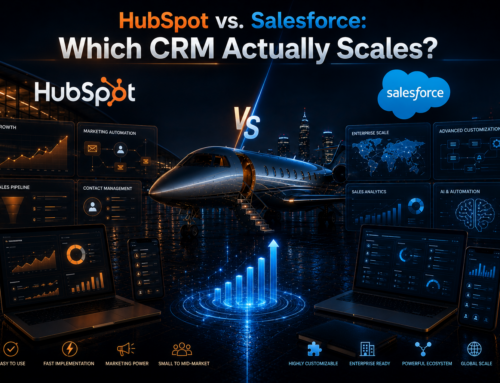
For a complete comparison, review HubSpot vs. Salesforce: Which CRM Actually Scales?.
Our Salesforce Verdict
Salesforce is the best CRM for contractors with complex enterprise requirements. However, it is rarely the best first CRM for a small contractor.
Ultimately, Salesforce creates the most value when the company has the scale, leadership, and technical resources to manage it properly.
Best CRM for Contractors by Trade
The best CRM often depends on the trade because each contractor business follows a different customer journey. Therefore, the recommendations below prioritize the workflows that matter most within each industry.
Best CRM for Roofing Companies
Best overall: AccuLynx for roofing operations.
Best for marketing and sales: HubSpot.
Roofing companies often need fast lead response, inspection tracking, proposal follow-up, production coordination, photos, measurements, supplier communication, and job documents. Therefore, AccuLynx provides the strongest roofing-specific workflow.
However, roofing companies investing heavily in SEO, Google Ads, Meta Ads, canvassing, and referral marketing may gain more lead-generation value from HubSpot. Consequently, larger roofers may connect both systems.
Best CRM for Remodeling Companies
Best overall: Buildertrend for long project workflows.
Best for lead nurturing: HubSpot.
Remodelers often manage longer sales cycles, design discussions, multiple decision-makers, proposals, selections, change orders, and extended project timelines. Therefore, Buildertrend provides strong project support.
However, HubSpot can improve lead nurturing during the weeks or months before the homeowner commits. Additionally, it can help remodelers track which content, ads, and referral sources create high-value projects.
Best CRM for General Contractors
Best value: Contractor Foreman.
Best for residential construction: Buildertrend.
Best for enterprise customization: Salesforce.
General contractors need different tools depending on project type and company scale. Therefore, smaller firms may prefer Contractor Foreman, while custom home builders may prefer Buildertrend. Meanwhile, enterprise contractors may require Salesforce or a specialized construction technology stack.
Best CRM for HVAC Contractors
Best for large HVAC companies: ServiceTitan.
Best for smaller HVAC companies: Housecall Pro or Jobber.
HVAC companies need dispatching, service agreements, equipment records, estimates, financing, maintenance reminders, and technician workflows. Therefore, ServiceTitan fits established operators, while Housecall Pro and Jobber fit smaller teams.
Best CRM for Plumbing Companies
Best for established plumbing businesses: ServiceTitan.
Best for small plumbing teams: Housecall Pro or Jobber.
Because plumbing businesses often depend on urgent calls and fast dispatching, field service functionality matters more than advanced content marketing. However, larger plumbing companies may still use HubSpot for commercial accounts, replacement campaigns, and long-term customer nurturing.
Best CRM for Electrical Contractors
Best for service electrical companies: ServiceTitan.
Best for small teams: Jobber or Housecall Pro.
Best for commercial sales pipelines: HubSpot or Pipedrive.
Electrical contractors serving residential customers need dispatching and service workflows. However, commercial electrical contractors may need opportunity pipelines, estimating stages, and account management. Therefore, the right choice depends on whether the business is primarily service-driven or project-driven.
Best CRM for Painting Contractors
Best for small painting companies: Jobber.
Best for high-ticket painting sales teams: HubSpot or Pipedrive.
Small painting businesses often benefit from quoting, scheduling, invoicing, and payments in one platform. However, larger exterior painting companies with dedicated estimators may need more advanced pipeline management.
Best CRM for Landscaping Companies
Best overall for small landscapers: Jobber.
Best for straightforward service operations: Housecall Pro.
Landscapers often manage recurring service, route scheduling, estimates, invoicing, and seasonal communication. Therefore, Jobber provides a strong operational fit.
Best CRM for Concrete Contractors
Best value: Contractor Foreman.
Best sales CRM: HubSpot or Pipedrive.
Concrete contractors managing crews, equipment, schedules, estimates, and commercial projects may benefit from Contractor Foreman. However, companies that generate residential leads through advertising may also need a stronger sales pipeline.
Best CRM for Window and Siding Companies
Best overall for marketing-led growth: HubSpot.
Window and siding companies typically manage high-ticket leads, in-home appointments, financing discussions, proposals, and multiple follow-up attempts. Therefore, HubSpot’s pipeline automation and lead nurturing can create substantial value.
Best CRM for Solar Contractors
Best for high-volume sales: HubSpot, Pipedrive, or Salesforce.
Solar companies often manage long pipelines, appointment setters, closers, financing, site surveys, permits, and installation handoffs. Therefore, companies should prioritize sales pipeline visibility and automation.
Best CRM for Deck Builders
Best for lead generation and sales: HubSpot.
Best for project management: Buildertrend.
Deck builders often sell high-value projects that require estimates, material choices, permits, and long follow-up periods. Consequently, a combination of sales CRM and project management may create the strongest workflow.
Best CRM for Handyman Businesses
Best overall: Jobber or Housecall Pro.
Handyman businesses usually need simple scheduling, quotes, invoices, payments, and customer records. Therefore, a field service system generally provides more value than an advanced marketing CRM.
Best Contractor CRM by Company Size
Best CRM for Solo Contractors
Solo contractors should prioritize simplicity. Therefore, Jobber or Housecall Pro often provides the best balance of scheduling, estimates, invoicing, and customer management.
However, a solo consultant-style contractor with a longer sales cycle may prefer HubSpot’s free CRM or Pipedrive.
Best CRM for Contractors With 2–10 Employees
Small teams usually need stronger organization without heavy administration. Therefore, Jobber, Housecall Pro, Contractor Foreman, or HubSpot can work well depending on the business model.
For service operations, Jobber and Housecall Pro usually fit better. Meanwhile, HubSpot becomes stronger when lead generation and sales follow-up drive growth.
Best CRM for Contractors With 10–50 Employees
At this stage, process consistency becomes more important. Therefore, contractors should consider HubSpot, Buildertrend, AccuLynx, ServiceTitan, or Contractor Foreman.
Additionally, the company may need separate systems for marketing and production. Consequently, integration planning becomes more important than choosing one universal platform.
Best CRM for Contractors With 50 or More Employees
Larger contractors need permissions, reporting, management visibility, standardized workflows, and reliable integrations. Therefore, ServiceTitan, HubSpot, Salesforce, Buildertrend, or an industry-specific platform may become necessary.
At this level, companies should evaluate implementation support, data governance, cybersecurity, training, and administration.
Best CRM for Enterprise Contractors
Salesforce offers the greatest customization for enterprise contractors. However, ServiceTitan may provide a stronger trade-specific operating environment.
Meanwhile, HubSpot may still fit enterprise marketing and sales teams that prioritize adoption and customer platform alignment. Therefore, the enterprise decision should follow a full process and architecture review.
Best Contractor CRM by Business Goal
| Business Goal | Best CRM | Why |
|---|---|---|
| Lead generation | HubSpot | Forms, landing pages, marketing automation, pipelines, attribution, and sales follow-up. |
| Simple field service operations | Jobber or Housecall Pro | Scheduling, dispatching, estimates, invoices, and payments. |
| Large trade operations | ServiceTitan | Advanced dispatching, field workflows, reporting, memberships, and trade-specific operations. |
| Residential project management | Buildertrend | Schedules, selections, budgets, change orders, client communication, and subcontractor coordination. |
| Roofing workflow | AccuLynx | Roofing-specific lead, sales, production, measurement, supplier, and document workflows. |
| General contractor value | Contractor Foreman | Broad construction management feature set at an accessible price point. |
| Budget customization | Zoho CRM | Customizable pipelines, automation, reporting, and broader application ecosystem. |
| Sales pipeline simplicity | Pipedrive | Visual deal stages, activities, follow-up, and sales reporting. |
| Enterprise complexity | Salesforce | Deep customization, permissions, integrations, forecasting, and enterprise workflows. |
| Marketing attribution | HubSpot | Connects marketing interactions, lead sources, opportunities, and revenue reporting. |
Why We Recommend HubSpot for Growth-Focused Contractors
Trade-specific platforms often do an excellent job managing work after a customer buys. However, many contractors lose money before the job ever reaches production.
They pay for Google Ads, Meta Ads, SEO, directories, home shows, canvassing, and referral programs. Nevertheless, leads remain scattered across inboxes, spreadsheets, text messages, call logs, and individual salespeople.
Therefore, the company cannot answer critical questions:
- Which marketing channel generates the most signed contracts?
- Which salesperson responds fastest?
- How many leads receive no follow-up?
- Which estimates remain open?
- Which service pages create qualified opportunities?
- Which campaigns generate revenue instead of low-quality leads?
HubSpot addresses those problems by connecting marketing activity to contact records, deal pipelines, follow-up tasks, automation, and reporting.
HubSpot Can Support the Contractor Lead Journey
- A homeowner visits a service or location page.
- The homeowner submits a form, books a meeting, starts a chat, or calls.
- HubSpot creates or updates the contact record.
- The system records the lead source when configured correctly.
- The lead routes to the correct salesperson.
- The salesperson receives a task or notification.
- The opportunity enters the sales pipeline.
- Follow-up continues through email, calls, tasks, and automation.
- The salesperson moves the deal through estimate and proposal stages.
- The company records the final contract value.
As a result, the contractor builds a measurable revenue system rather than a disconnected collection of marketing channels.
HubSpot Works Especially Well With a Digital Authority Strategy
A contractor building hundreds of service, city, comparison, educational, and question-led pages needs more than traffic analytics. Instead, the company needs to understand which pages influence leads and sales.
Therefore, HubSpot can become the customer data layer behind a larger SEO and GEO strategy.
For example, a roofing company may publish pages around:
- Roof replacement cost
- Metal roofing comparisons
- Storm damage questions
- Insurance claim guidance
- City-specific roofing services
- Roofing material comparisons
- Contractor selection questions
When those pages attract homeowners, HubSpot can help connect the engagement to contact records and opportunities. Consequently, leadership gains a clearer view of content-driven pipeline.
HubSpot Does Not Need to Replace Operational Software
Contractors sometimes reject HubSpot because it does not include every dispatching or construction management feature. However, that comparison misses the point.
HubSpot can manage marketing, customer acquisition, lead nurturing, and sales. Meanwhile, Jobber, ServiceTitan, Buildertrend, AccuLynx, or another platform can manage production and operations.
Therefore, contractors should evaluate the entire technology stack instead of forcing one system to handle every task.
How to Set Up a Contractor CRM Step by Step
A CRM only creates value when the company builds it around a clear sales process. Therefore, contractors should avoid importing thousands of contacts before defining stages, ownership, fields, and follow-up rules.
Step 1: Define When a Lead Becomes a Deal
Not every contact should become an active sales opportunity. Therefore, define the trigger clearly.
For example, a deal may be created when the prospect:
- Requests an estimate
- Books a consultation
- Completes a qualification call
- Requests a site visit
- Confirms a project timeline
Step 2: Build the Contractor Sales Pipeline
Use stages that reflect actual buyer progress. For example:
- New Lead
- Attempting Contact
- Appointment Scheduled
- Appointment Completed
- Estimate in Progress
- Proposal Sent
- Follow-Up
- Contract Signed
- Closed Lost
Additionally, define the exit criteria for every stage. A salesperson should move the deal only after a real event occurs.
Step 3: Create Essential Contractor Properties
Contractors should track enough information to support follow-up and reporting. However, they should avoid creating so many required fields that salespeople stop using the CRM.
Useful properties include:
- Project type
- Estimated project value
- Property address
- Lead source
- Service area
- Financing interest
- Project timeline
- Decision-maker status
- Insurance involvement
- Reason closed lost
Step 4: Connect Lead Sources
Connect website forms, landing pages, Facebook lead campaigns, Google Ads pages, chat, phone systems, and referral forms.
Furthermore, standardize lead source naming. Otherwise, reports may separate “Google Ads,” “PPC,” “Google PPC,” and “Paid Search” into different categories.
Step 5: Build Speed-to-Lead Automation
Create immediate alerts, task assignments, confirmation messages, and ownership rules. Because homeowners often contact several contractors, faster response can improve appointment rates.
However, automation should support human follow-up rather than replace it entirely.
Step 6: Create Estimate Follow-Up Workflows
Many contractors lose sales after sending the estimate. Therefore, create a structured follow-up process.
For example:
- Day 1: Confirm the customer received the proposal.
- Day 3: Ask whether the customer has questions.
- Day 7: Revisit the project outcome and timeline.
- Day 14: Share relevant proof, financing, or case studies.
- Day 30: Move the deal into long-term nurture if appropriate.
Step 7: Track Closed-Lost Reasons
Require salespeople to select a reason when they close an opportunity as lost. For example:
- Price
- No response
- Chose competitor
- Project delayed
- Financing issue
- Not qualified
- Outside service area
- Insurance issue
Consequently, leadership can identify whether the larger problem involves pricing, qualification, follow-up, lead quality, or sales performance.
Step 8: Build Management Dashboards
Contractor leadership should monitor:
- New leads by source
- Lead response time
- Appointments scheduled
- Estimate completion rate
- Proposal close rate
- Revenue by source
- Salesperson performance
- Average deal size
- Deals with no next task
- Closed-lost reasons
Step 9: Train the Team With Real Examples
Do not train employees only on buttons. Instead, show them exactly how a real lead moves through the pipeline.
Additionally, explain why accurate records matter. When employees understand that the CRM protects leads, commissions, and company growth, adoption often improves.
Step 10: Review the Pipeline Every Week
Finally, hold a weekly pipeline review. During the meeting, update stale opportunities, verify next steps, review proposals, and identify deals that need management support.
Because of that discipline, the CRM stays useful instead of becoming a database filled with outdated opportunities.
For a deeper HubSpot walkthrough, review How to Set Up Your First HubSpot Sales Pipeline.
Common Contractor CRM Mistakes
Choosing Software Before Mapping the Process
Contractors often buy software first and define the workflow later. However, software cannot fix an undefined process.
Therefore, map lead intake, qualification, appointment setting, estimating, follow-up, contracting, and production handoff before configuring the CRM.
Using Too Many Pipeline Stages
More stages do not automatically produce better reporting. Instead, excessive stages create confusion and inconsistent usage.
Therefore, each stage should represent a meaningful buyer milestone.
Failing to Track Lead Sources
If the contractor cannot connect leads and contracts to marketing sources, the company cannot allocate budget intelligently.
Consequently, source tracking should be configured before major campaigns begin.
Allowing Deals to Sit Without a Next Task
Every active opportunity should have a scheduled next action. Otherwise, proposals and conversations disappear.
Therefore, managers should create a dashboard for deals without future tasks.
Over-Automating Customer Communication
Automation can improve speed and consistency. However, high-ticket contracting sales still require human trust.
Therefore, use automation for reminders, routing, confirmations, and support. Meanwhile, keep important conversations personal.
Failing to Clean the Database
Duplicate contacts, invalid phone numbers, outdated deals, and inconsistent fields weaken reports. Therefore, assign responsibility for regular data cleanup.
Tracking Leads but Ignoring Revenue
A campaign that creates many low-quality leads may look successful at first. However, the campaign may waste sales time and produce little revenue.
Therefore, measure appointments, estimates, contracts, revenue, and gross profit whenever possible.
Buying an Enterprise System Too Early
Powerful software creates little value when the team lacks the time or skill to configure it. Consequently, smaller contractors should prioritize adoption and core workflows before advanced customization.
Expecting the CRM to Replace Leadership
A CRM can reveal missed follow-up, poor response time, and weak close rates. However, managers must still coach the team and enforce the process.
Ultimately, the CRM supports discipline; it does not create discipline automatically.
Final Contractor CRM Recommendations
Choose HubSpot when lead generation, marketing automation, sales follow-up, and attribution create the highest priority.
Choose Jobber when a small home service business needs quoting, scheduling, invoicing, and payments in one approachable platform.
Choose ServiceTitan when a large trade contractor needs advanced dispatching, service agreements, technician workflows, and operational reporting.
Choose Housecall Pro when a small or midsize service company wants a straightforward field service management system.
Choose Buildertrend when a home builder or remodeler needs project schedules, budgets, selections, client communication, and change orders.
Choose AccuLynx when a roofing contractor needs roofing-specific sales and production workflows.
Choose Contractor Foreman when a general contractor wants broad construction management features at a competitive value.
Choose Zoho CRM when budget and customization matter more than contractor-specific functionality.
Choose Pipedrive when a sales team wants a simple visual pipeline without a full marketing platform.
Choose Salesforce when an enterprise contractor requires deep customization, complex permissions, and advanced integrations.
However, growth-focused contractors should consider one important reality: operational software and customer acquisition software solve different problems.
Therefore, the strongest system may combine HubSpot with a vertical contractor platform. HubSpot can manage marketing and sales, while the contractor-specific system manages production and field operations.
Frequently Asked Questions About Contractor CRM Software
What is the best CRM for contractors?
HubSpot is the best overall CRM for contractors focused on lead generation, marketing automation, sales pipelines, follow-up, and attribution. However, Jobber, Housecall Pro, ServiceTitan, Buildertrend, and AccuLynx may fit operational workflows better.
What is the best free CRM for contractors?
HubSpot offers a strong free CRM for contractors that need contact management, deal tracking, task management, email tools, and meeting scheduling. However, contractors may need paid features or additional software for advanced automation and field operations.
Is HubSpot good for contractors?
Yes. HubSpot is especially useful for contractors with multiple lead sources, dedicated salespeople, longer sales cycles, or significant marketing budgets. Additionally, it can help connect marketing activity to opportunities and revenue.
What is the best CRM for roofing companies?
AccuLynx is the best roofing-specific CRM because it supports roofing sales, documents, estimates, measurements, suppliers, and production. However, HubSpot is stronger for marketing automation and lead nurturing.
What is the best CRM for remodeling companies?
Buildertrend is one of the best systems for remodeling project management. However, HubSpot can provide stronger pre-sale lead nurturing, pipeline automation, and marketing attribution.
What is the best CRM for HVAC contractors?
ServiceTitan is the best option for large HVAC companies. Meanwhile, Jobber and Housecall Pro are strong choices for smaller HVAC teams.
What is the best CRM for small contractors?
Jobber and Housecall Pro are excellent for small service contractors. However, HubSpot may fit small contractors better when marketing, pipeline management, and sales follow-up matter more than dispatching.
Can a contractor use HubSpot and Jobber together?
Yes. A contractor can use HubSpot for lead generation, nurturing, sales pipelines, and attribution while using Jobber for scheduling, jobs, invoicing, and payments. However, the company should verify integration requirements carefully.
Can a contractor use HubSpot and Buildertrend together?
Yes. HubSpot can manage marketing and sales before the contract, while Buildertrend can manage project execution after the sale. Therefore, the systems can serve different stages of the customer journey.
What features should a contractor CRM include?
A contractor CRM should include lead capture, contact records, customizable pipelines, follow-up tasks, email or text communication, lead source tracking, reporting, mobile access, and useful integrations.
Does a contractor CRM need scheduling and dispatching?
Not always. A sales-focused contractor may use a CRM without dispatching and connect it to operational software. However, service businesses may prefer a field service platform that includes scheduling and dispatching.
How much should contractor CRM software cost?
The cost varies based on users, features, contacts, automation, implementation, and integrations. Therefore, contractors should compare total ownership costs rather than only the advertised monthly price.
Should every contractor lead become a deal?
No. Contractors should create a deal only when the contact becomes a legitimate sales opportunity. Otherwise, the pipeline may become cluttered with unqualified inquiries.
How often should contractors review the CRM pipeline?
Contractors should review active deals every week. Additionally, sales representatives should review new leads, overdue tasks, and proposals requiring follow-up every day.
Can CRM software help contractors measure marketing ROI?
Yes, when the CRM tracks the original lead source and connects it to appointments, proposals, contracts, and revenue. However, accurate reporting requires consistent configuration and team usage.
Which Contractor CRM Should You Choose?
The best CRM for contractors depends on the bottleneck inside the business.
If the company struggles to generate, organize, nurture, and convert leads, HubSpot provides the strongest overall growth platform. However, if the company struggles with scheduling, dispatching, invoicing, or field communication, Jobber, Housecall Pro, or ServiceTitan may create more immediate value.
Meanwhile, remodelers and home builders should consider Buildertrend. Roofing contractors should evaluate AccuLynx. General contractors seeking broad value should consider Contractor Foreman. Additionally, complex enterprises may need Salesforce.
Nevertheless, contractors should not assume that one platform must handle marketing, sales, estimating, production, accounting, and service operations equally well.
Instead, choose the system that solves the most expensive constraint. Then, connect additional tools carefully as the company grows.
For growth-focused contractors, HubSpot remains our top overall recommendation because it helps turn marketing activity into measurable sales opportunities. Furthermore, it gives contractors a scalable foundation for SEO, GEO, Google Ads, Meta Ads, referral campaigns, email nurturing, and sales pipeline management.
About the author : Anthony Paulino