How to Set Up Your First HubSpot Sales Pipeline
Definition: A HubSpot sales pipeline is a visual sales process that tracks deals from first opportunity to closed won or closed lost inside HubSpot CRM.
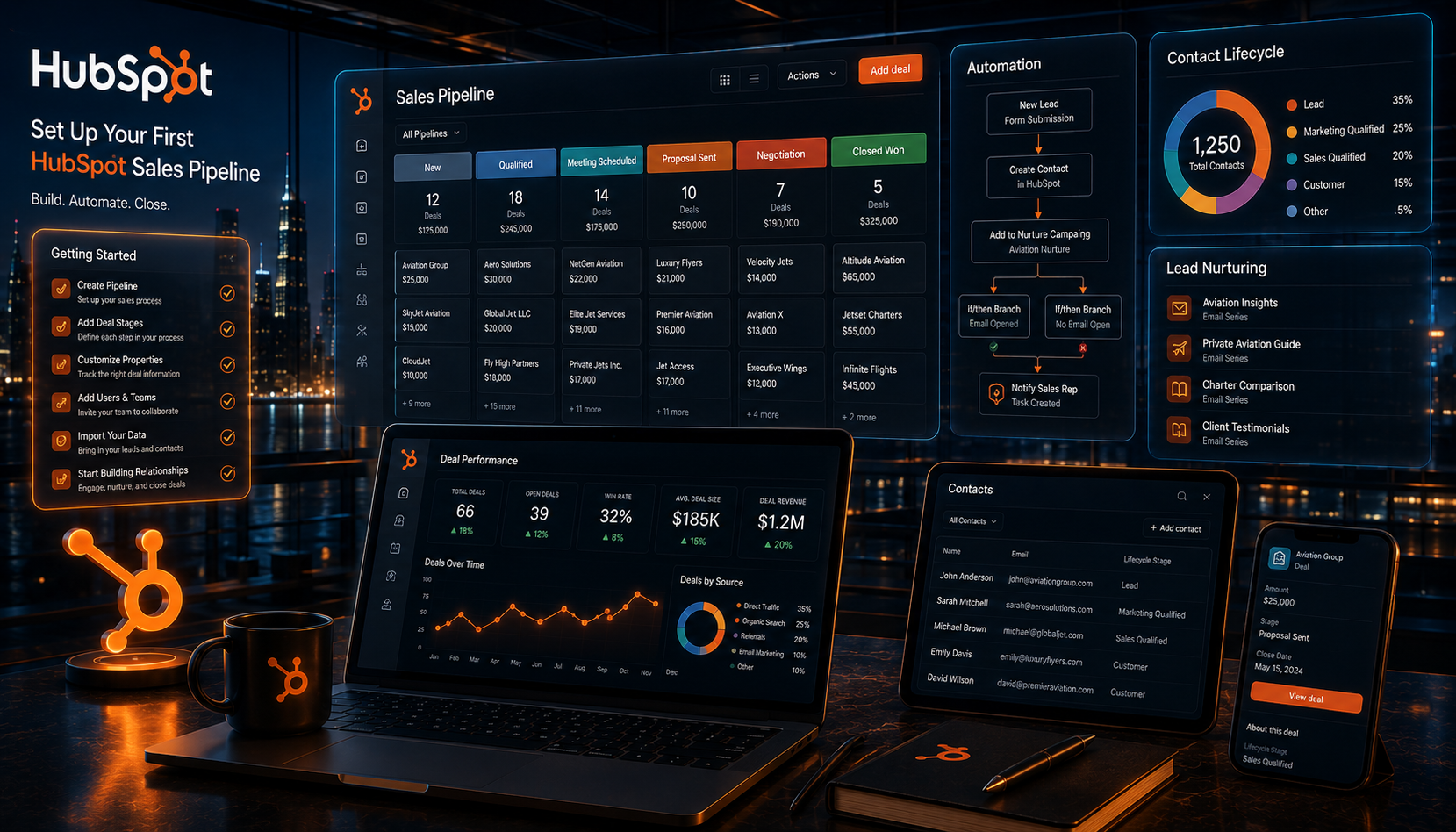
Direct Answer: To set up your first HubSpot sales pipeline, map your real sales process first, then create or customize deal stages in HubSpot, assign close probabilities, add required deal properties, create simple automations, build task reminders, connect forms or meetings, and review pipeline reports weekly.
Many businesses open HubSpot and start changing deal stages too quickly. However, the best pipeline setup starts before you click anything. First, you need to define how your team actually sells. Then, you can build HubSpot around that process.
Because of that, this guide walks through the full beginner setup. Additionally, it explains which stages to use, which mistakes to avoid, and how to make your pipeline useful for real follow-up, forecasting, and lead generation.
If you want to start with HubSpot, use this link: Try HubSpot.
Key Takeaways
- Start with your real sales process before building the pipeline.
- Use deal stages only when the buyer has clearly moved forward.
- Keep your first pipeline simple so your team actually uses it.
- Add required fields only when they improve data quality.
- Use automation for reminders, not overcomplicated workflows at first.
- Review stuck deals weekly so the pipeline stays clean.
- Therefore, a good HubSpot pipeline should improve sales discipline, not create CRM clutter.
Why Your First HubSpot Sales Pipeline Matters
Your sales pipeline matters because it shows where every deal stands. Additionally, it helps your team know which leads need follow-up, which deals are stuck, and which opportunities may close soon.
HubSpot describes its pipeline management software as a way to organize and track the sales cycle, identify roadblocks, track performance, and focus on valuable deals. HubSpot pipeline management software
Therefore, a pipeline should not be a random list of stages. Instead, it should reflect real buyer movement.
A good HubSpot pipeline helps you answer:
- How many active deals do we have?
- Which deals need attention today?
- Which stage creates the biggest drop-off?
- How much revenue may close this month?
- Which lead sources create the best deals?
- Which reps need coaching?
- Which follow-up steps are being missed?
Consequently, your pipeline becomes a sales operating system, not just a CRM feature.
Before You Set Up HubSpot
Before changing settings, write down your current sales process. This prevents you from building a pipeline that looks nice but does not match how sales actually happen.
Answer These Questions First
- Where do new leads come from?
- Who qualifies the lead?
- What counts as a real sales opportunity?
- When does a deal get created?
- What happens before a proposal?
- Who sends the proposal?
- When is a deal considered closed won?
- Why do deals usually become closed lost?
Additionally, decide whether you need one pipeline or multiple pipelines. For most beginners, one pipeline is better. However, if you sell very different offers with different sales processes, you may eventually need more than one.
HubSpot’s official knowledge base explains that users can create, clone, customize, and delete object pipelines and stages from the account settings area. HubSpot pipeline setup documentation
Step 1: Map Your Sales Process
First, map your process on paper or in a document. Do not start inside HubSpot yet.
Your first pipeline should show the major sales milestones. However, each stage should represent a meaningful change in the buyer’s journey.
Bad Pipeline Stages
- New
- Working
- Still Working
- Maybe
- Hot
- Very Hot
These stages are vague. Therefore, reps may use them differently.
Better Pipeline Stages
- Appointment Scheduled
- Qualified to Buy
- Presentation Scheduled
- Proposal Sent
- Contract Sent
- Closed Won
- Closed Lost
These stages show real movement. Additionally, they make reporting easier.
HubSpot’s default deal stages are commonly listed as Appointment Scheduled, Qualified to Buy, Presentation Scheduled, Decision Maker Bought-In, Contract Sent, Closed Won, and Closed Lost. Therefore, beginners can start with a similar structure and adjust it later.
Step 2: Create or Customize Your Pipeline
Next, open HubSpot and create or customize your pipeline.
How to Create a Pipeline in HubSpot
- Log into HubSpot.
- Click the settings icon.
- Go to Data Management.
- Click Objects.
- Select Deals.
- Click the Pipelines tab.
- Create a pipeline from scratch or customize the existing sales pipeline.
- Name the pipeline clearly.
HubSpot’s official pipeline setup documentation explains that users can create a pipeline by going to Settings, then Objects, choosing the object, opening the Pipelines tab, and selecting Create from scratch. HubSpot pipeline setup documentation
Naming Tip
Use a simple name like “New Business Sales Pipeline.” Avoid vague names like “Main Pipeline” if you may eventually add renewal, upsell, or onboarding pipelines.
Therefore, your first pipeline stays clear as the business grows.
Step 3: Choose Your Deal Stages
Deal stages are the heart of your pipeline. However, too many stages make the CRM harder to use. Too few stages make reporting weak.
For your first HubSpot sales pipeline, start with five to seven stages.
Recommended Beginner Pipeline
| Stage | Meaning | Exit Criteria |
|---|---|---|
| New Opportunity | A real potential deal exists. | Lead has shown interest or requested help. |
| Appointment Scheduled | A sales call is booked. | Meeting is on the calendar. |
| Qualified to Buy | The lead has need, fit, budget, or urgency. | Rep confirms the opportunity is real. |
| Solution Presented | The offer or solution has been explained. | Buyer understands the proposed direction. |
| Proposal Sent | Pricing or scope has been sent. | Buyer has proposal, quote, or contract. |
| Closed Won | The deal is sold. | Payment, signature, or verbal approval is received. |
| Closed Lost | The deal is lost. | Buyer declined, disappeared, or was disqualified. |
Additionally, every stage should have exit criteria. This prevents reps from moving deals based on feelings instead of facts.
Step 4: Set Deal Probabilities
Deal probability helps HubSpot estimate weighted revenue. Therefore, each stage should have a rough probability of closing.
Example Probability Setup
- New Opportunity: 10%
- Appointment Scheduled: 20%
- Qualified to Buy: 40%
- Solution Presented: 60%
- Proposal Sent: 75%
- Closed Won: 100%
- Closed Lost: 0%
However, these numbers are only a starting point. After you have real data, adjust probabilities based on actual conversion rates.
Actionable Tip
After 60 to 90 days, review how many deals move from each stage to closed won. Then update probabilities based on real performance.
As a result, your forecast becomes more accurate over time.
Step 5: Add Required Deal Properties
Deal properties help you organize pipeline data. However, do not add too many required fields at first. Otherwise, reps may avoid using the CRM.
Recommended Required Fields
- Deal name
- Deal amount
- Close date
- Pipeline
- Deal stage
- Lead source
- Owner
Helpful Optional Fields
- Service interested in
- Budget range
- Decision-maker name
- Timeline
- Competitor being considered
- Reason closed lost
- Next step
Additionally, require “Reason Closed Lost” when a deal is moved to Closed Lost. This creates useful sales feedback. Therefore, your team can learn why opportunities disappear.
Step 6: Connect Lead Sources
Your sales pipeline becomes more powerful when it shows where deals come from.
Therefore, connect lead sources early.
Common Lead Sources
- Website form
- Google Ads
- Facebook Ads
- Organic search
- Referral
- Cold outreach
- Event
- Phone call
- Email campaign
- Chat
HubSpot’s deal pipeline tools can create deals from existing contact or company records and help keep deal information updated. HubSpot deal pipeline software
Additionally, lead source data helps you make better marketing decisions. For example, if Google Ads creates fewer leads but more closed deals, you may want to increase that budget.
For related growth channels, review Google Ads Management Company, Facebook Ads Management Agency, and SEO Services for Businesses.
Step 7: Add Tasks and Follow-Up Rules
A pipeline does not close deals by itself. Therefore, every stage should create a clear next action.
Example Follow-Up Rules
- New Opportunity: call within five minutes.
- Appointment Scheduled: send confirmation email immediately.
- Qualified to Buy: create proposal task.
- Solution Presented: schedule follow-up within 24 hours.
- Proposal Sent: follow up after one business day.
- Closed Won: trigger onboarding task.
- Closed Lost: record reason and nurture if appropriate.
Additionally, every open deal should have a next task. If a deal has no next task, it may stall.
Actionable Tip
Create a saved view called “Deals With No Next Task.” Review it daily. As a result, fewer leads fall through the cracks.
Step 8: Build Simple Automations
Automation helps your team move faster. However, your first pipeline should not be over-automated.
Start with simple workflow rules.
Beginner HubSpot Automations
- When a form is submitted, create a task for the sales owner.
- When a meeting is booked, move the deal to Appointment Scheduled.
- When a proposal is sent, create a follow-up task.
- When a deal is Closed Won, create onboarding tasks.
- When a deal is Closed Lost, require a lost reason.
HubSpot’s current customer platform includes AI and connected tools across CRM, marketing, sales, service, and operations. Therefore, automation can expand over time as your team gets more comfortable. HubSpot customer platform
Consequently, start simple. Then add complexity only when your team consistently uses the basics.
Step 9: Create Pipeline Reports
Reports turn your pipeline into a management tool. Therefore, build simple reports from the start.
Beginner Reports to Create
- Deals by stage
- Revenue by stage
- Deals by owner
- Deals by lead source
- Closed won by source
- Closed lost reasons
- Average time in stage
- Upcoming close dates
Additionally, watch stage conversion rates. If many deals reach Proposal Sent but few close, the issue may be pricing, offer clarity, proof, or follow-up.
For funnel strategy, review The Straight Line Funnel.
Step 10: Clean and Review the Pipeline Weekly
Your pipeline will get messy if no one reviews it. Therefore, schedule a weekly pipeline cleanup.
Weekly Pipeline Review Checklist
- Remove duplicate deals.
- Update close dates.
- Move stale deals.
- Check deals with no next task.
- Review stuck deals.
- Review close-lost reasons.
- Check lead source performance.
- Confirm proposal follow-ups.
- Update deal amounts.
- Coach reps based on stage drop-offs.
Additionally, create a rule: no deal should sit in one stage forever. If a deal is stuck, it needs action, disqualification, or a new next step.
As a result, your pipeline stays useful instead of becoming a graveyard of old opportunities.
Example HubSpot Sales Pipeline
Here is a simple pipeline a service business, agency, or consultant can use.
| Stage | Probability | Required Action |
|---|---|---|
| New Opportunity | 10% | Call, email, or qualify the lead. |
| Appointment Scheduled | 20% | Confirm meeting and send prep email. |
| Qualified to Buy | 40% | Confirm need, fit, timeline, and budget. |
| Solution Presented | 60% | Explain recommendation and next steps. |
| Proposal Sent | 75% | Send proposal and schedule follow-up. |
| Closed Won | 100% | Collect payment or signature and start onboarding. |
| Closed Lost | 0% | Record reason and nurture if appropriate. |
Therefore, this pipeline stays simple while still giving leadership useful visibility.
Common HubSpot Pipeline Mistakes
- Creating too many deal stages.
- Using vague stage names.
- Moving deals based on feelings instead of buyer actions.
- Not requiring close-lost reasons.
- Forgetting lead source tracking.
- Skipping next tasks.
- Over-automating too early.
- Not cleaning the pipeline weekly.
- Creating multiple pipelines before one pipeline works.
- Not training the sales team.
Ultimately, pipeline setup fails when the CRM becomes harder than the sales process.
HubSpot Sales Pipeline Setup Checklist
- Map your sales process.
- Define what counts as a real deal.
- Create or customize your pipeline.
- Choose five to seven deal stages.
- Add clear exit criteria for each stage.
- Set deal probabilities.
- Add required deal properties.
- Track lead sources.
- Create follow-up tasks.
- Add simple automations.
- Create pipeline reports.
- Train your team.
- Review the pipeline weekly.
- Update stages after 60 to 90 days of real usage.
If you want to start building this pipeline, use HubSpot here.
Frequently Asked Questions
How do I set up a sales pipeline in HubSpot?
Go to HubSpot settings, open Objects, select Deals, click Pipelines, and create or customize your pipeline. Then add deal stages, probabilities, required fields, tasks, and reports.
What deal stages should I use in my first HubSpot pipeline?
Start with simple stages like New Opportunity, Appointment Scheduled, Qualified to Buy, Solution Presented, Proposal Sent, Closed Won, and Closed Lost.
How many deal stages should a beginner pipeline have?
Most beginner pipelines should have five to seven stages. Too many stages can confuse reps, while too few stages can weaken reporting.
Should every lead become a deal in HubSpot?
No. A lead should become a deal only when there is a real sales opportunity. Otherwise, your pipeline will become cluttered with unqualified contacts.
What should I automate first in HubSpot?
Start with simple automations like task creation, form follow-up, meeting reminders, proposal follow-up tasks, and onboarding tasks for closed-won deals.
How often should I review my HubSpot pipeline?
Review your pipeline weekly. Update stale deals, close lost opportunities, clean duplicates, check no-task deals, and review stage conversion rates.
Final Verdict
Your first HubSpot sales pipeline should be simple, clear, and based on your real sales process.
Therefore, start by mapping the buyer journey. Then create stages that reflect real progress, add required fields, set follow-up tasks, build simple automations, and review reports weekly.
Ultimately, HubSpot works best when your pipeline helps the sales team take action every day.
About the author : Anthony Paulino