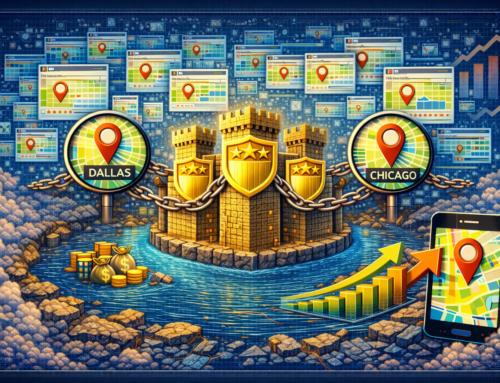
Dominating the Map Pack: How Geo-Pages Fuel Your GMB Strategy
Direct answer: Geo-pages fuel your GMB strategy by proving service-and-location relevance on your website, which strengthens Google’s confidence in your listing and helps you win more Map Pack visibility across every market you serve.
Many businesses treat the Map Pack like a separate game. However, Google connects your Google Business Profile to your website signals. Because of that link, your website can either support your listing or quietly weaken it. As a result, geo-pages often become the missing system that turns “good GBP optimization” into steady Map Pack wins.
Local search also changes fast. Google still ranks links, yet AI-powered answers influence decisions sooner. Therefore, you need content that machines trust and people understand. Geo-pages fuel your GMB strategy because they deliver both, especially when you structure them with clear answers, clean internal links, and consistent business identity.
This guide stays practical. Additionally, it gives your team steps you can apply now, even if you only start with a small pilot set. If you want IMR to build the full program at scale, start here:
1000 Page Local Authority Lockdown.
Table of Contents
- What does “dominating the Map Pack” mean?
- How does Google rank Map Pack results?
- Why geo-pages fuel your GMB strategy
- How geo-pages expand coverage for high-intent searches
- How geo-pages create a relevance loop for GBP
- How internal linking boosts local authority
- How to structure geo-pages for conversions
- How schema helps AI and local search understand you
- How to operationalize geo-pages without chaos
- A 30-day rollout plan you can start now
- Next steps
- FAQs
What does “dominating the Map Pack” mean?
Direct answer: Dominating the Map Pack means you show up consistently for high-intent local searches in the markets you serve, while you also earn the clicks, calls, and bookings that follow.
Map Pack dominance does not mean “ranking once.” Instead, it means winning repeatably across multiple queries, multiple services, and multiple service areas. Consequently, you need a system that supports broad coverage and local trust at the same time.
Local buyers often behave predictably. For example, they search “near me,” they add their city name, and they compare options quickly. Because that behavior creates urgent intent, your business benefits when you appear before competitors. Geo-pages fuel your GMB strategy because they help you match that intent with the right page and the right signals.
How does Google rank Map Pack results?
Direct answer: Google ranks Map Pack results using relevance, distance, and prominence, while it cross-checks your Google Business Profile, your website content, and your trust signals across the web.
Distance influences results, yet you cannot control it fully. However, you can strongly influence relevance and prominence. Therefore, you win more often when you create stronger evidence for what you do and where you do it.
Google explains the core local ranking factors here:
Improve your local ranking on Google.
In plain terms:
- Relevance asks: “Does this business match the search?”
- Distance asks: “How close is the business to the searcher?”
- Prominence asks: “How trusted and well-known is this business?”
Because relevance and prominence respond to your actions, your website becomes a leverage point. Geo-pages fuel your GMB strategy by making relevance clearer, while also giving prominence more places to build.
Why geo-pages fuel your GMB strategy
Direct answer: Geo-pages fuel your GMB strategy because they prove service coverage and local intent on your website, which strengthens the same signals your GBP needs to win.
Many businesses optimize their profile and stop. However, Google evaluates your site too, so your listing often performs only as well as your website supports it. As a result, geo-pages fuel your GMB strategy by acting like “support beams” behind your profile.
Geo-pages also solve a common problem: the site does not match the markets you serve. If your GBP lists service areas, yet your website does not show clear city-level coverage, Google sees a mismatch. Consequently, the algorithm hesitates, while competitors capture the clicks.
When you publish geo-pages correctly, you build a simple story across your ecosystem: you provide a service, you serve a location, and you deserve trust there. That clarity helps humans and machines. Therefore, geo-pages fuel your GMB strategy in a way a profile alone cannot.
If you want IMR to build geo-pages at scale with governance and QA, use:
1000 Page Local Authority Lockdown.
How geo-pages expand coverage for high-intent searches
Direct answer: Geo-pages expand coverage by targeting “service + city,” “service area,” and “near me” intent patterns that drive the highest conversion rates.
High-intent local searches often include location language. For example, buyers type a city name, a neighborhood, or “near me” because they want action. As a result, you want a page that matches that moment.
Here is how geo-pages fuel your GMB strategy through coverage:
- They capture intent Google sees as local-ready, which supports Map Pack placement.
- They reduce bounce by matching the searcher’s location expectation.
- They increase conversions because visitors feel “this fits my area.”
- They create more entry points into your funnel across more markets.
Coverage also creates resilience. When one channel shifts, the system still performs. Therefore, geo-pages fuel your GMB strategy while they also protect your pipeline.
How geo-pages create a relevance loop for GBP
Direct answer: Geo-pages create a relevance loop when your GBP and your website reinforce the same service-and-location signals, which increases Google’s confidence over time.
Google trusts consistency. Therefore, you want your GBP, your website, and your structured data to tell the same story. When the story matches, the system strengthens itself.
This loop usually looks like this:
- A user searches “service + city” or “near me.”
- Google evaluates local results and organic results together.
- Your GBP appears stronger because your website supports the same city intent.
- Your geo-page earns engagement because it matches the search.
- Google sees positive signals and increases trust in that market.
Because trust compounds, geo-pages fuel your GMB strategy more each month when you keep quality high. Consequently, one city win can become a repeatable model for the next city.
How internal linking boosts local authority
Direct answer: Internal linking boosts local authority by distributing relevance and prominence across your geo-pages, while also helping Google crawl and understand your location structure.
Geo-pages fail when they sit alone. However, geo-pages win when they connect to hubs, services, and supporting content. Because Google learns relationships through links, internal linking becomes a force multiplier.
Google documents internal linking benefits here:
Internal links and crawling.
Use these internal linking rules to ensure geo-pages fuel your GMB strategy:
- Link each geo-page to the most relevant service page.
- Link that service page back to a set of priority geo-pages.
- Link related geo-pages together when the markets overlap.
- Link supporting blog posts into geo-pages where they answer objections.
Internal linking also helps conversions. Therefore, you should link from informational sections into the next logical action page. If you want a unified growth system, IMR supports that through:
Full Service Digital Marketing.
How to structure geo-pages for conversions
Direct answer: Geo-pages convert when they open with clear intent, answer questions quickly, add local context, and guide the visitor to one next step.
Many teams think “unique wording” creates quality. However, usefulness creates quality. Because buyers want answers, you should use direct, practical content. Additionally, you should start sections with a clear “direct answer” so AI and humans can extract meaning fast.
Use this conversion-first structure:
- Direct answer opener that confirms service + location immediately.
- Proof of fit that explains why your service works well in that area.
- Process clarity that shows what happens next.
- Local concerns such as response time, scheduling, access, or compliance.
- FAQ that removes friction before the call.
When you write, keep the language simple. Also keep the structure consistent. However, keep the local blocks different. That balance ensures geo-pages fuel your GMB strategy without creating thin content.
If you want IMR to implement GEO systems that support AI citation readiness too, use:
Generative Engine Optimization (GEO).
How schema helps AI and local search understand you
Direct answer: Schema helps local search and AI understand your business by clarifying identity, services, page context, and hierarchy in machine-readable form.
Schema does not replace strong content. Instead, schema reduces confusion. Therefore, it supports better interpretation, especially when Google cross-checks your profile and your site.
Use these schema elements to ensure geo-pages fuel your GMB strategy:
- Organization with consistent phone, email, and address.
- ProfessionalService to define your offering set.
- WebSite to anchor publisher identity.
- WebPage and BlogPosting to define this content.
- BreadcrumbList to clarify hierarchy.
- FAQPage to support extractable answers.
- SpeakableSpecification to support voice-ready highlights.
Google’s structured data overview explains the goal here:
Structured data overview.
Schema.org standards live here:
Schema.org Getting Started.
How to operationalize geo-pages without chaos
Direct answer: You operationalize geo-pages by using a fixed architecture, a clear page purpose per URL, a uniqueness checklist, and a QA workflow.
Scale breaks when teams improvise. Therefore, you need governance before you publish hundreds of pages. Because governance prevents cannibalization and duplication, it protects rankings and conversion performance.
Use this operations checklist:
- Keyword map: assign one primary intent per URL.
- Template rules: keep structure consistent, while local blocks vary.
- Link rules: require hub-to-geo and geo-to-hub links.
- Schema rules: keep business identity consistent on every page.
- QA rules: check clarity, internal links, and local uniqueness before publish.
If you want a done-for-you approach that includes systems, governance, and scale, our team built:
1000 Page Local Authority Lockdown.
A 30-day rollout plan you can start now
Direct answer: Start with a pilot batch, validate conversion and visibility, then expand market coverage using the same standards.
Week 1: Choose priority markets based on revenue and capacity. Next, map service + city queries to page targets.
Week 2: Build geo-page templates with direct answers, local blocks, and internal link rules. Also standardize schema identity.
Week 3: Publish a pilot set of geo-pages across mixed market types. Then connect them internally to your service pages.
Week 4: Track calls, clicks, impressions, and conversions by market. After that, expand to the next tier of cities.
This rollout keeps risk low while it builds momentum. Consequently, you can scale without quality collapse.
Next steps
Direct answer: If you want to dominate the Map Pack, connect GBP to a geo-page system, reinforce it with internal linking and schema, and scale coverage market by market.
GBP optimization still matters. However, geo-pages fuel your GMB strategy by giving Google more proof of relevance and more structure to trust. Because the Map Pack rewards strong local signals, the system wins when your website supports your listing instead of operating separately.
If you want IMR to build the full framework quickly, start here:
1000 Page Local Authority Lockdown.
FAQs
Do geo-pages replace Google Business Profile optimization?
Direct answer: Geo-pages do not replace GBP optimization, yet they strengthen it by proving local relevance on your website.
How many geo-pages should we publish?
Direct answer: Publish enough geo-pages to match real demand in the markets you serve, while maintaining uniqueness and clear intent per page.
Do geo-pages help “near me” searches?
Direct answer: Geo-pages can help near me searches because they reinforce location relevance signals that support local intent.
Does schema affect Map Pack results?
Direct answer: Schema supports Map Pack performance by clarifying business identity and offerings, which improves machine understanding and trust signals.
Author
Infinite Media Resources Strategy Team builds scalable local authority systems that connect geo-pages, internal linking, and structured data into a repeatable market domination framework. Our team helps businesses win city-level demand while also improving AI citation readiness. If you want a complete done-for-you deployment, explore:
1000 Page Local Authority Lockdown.
About the author : Anthony Paulino